Repository navigation
Both _selected_range and _replacement_range parameters are ignored in NSTextInputClient implementation. #3617
Description

Description
TypeAlias "ICB" = "Inline Composition Buffer" = "Inline PreEdit"
Both _selected_range and _replacement_range parameters are ignored in NSTextInputClient implementation. This causes an issue that these parameters sent from IME to IMKTextInput APIs are completely neglected:
winit/src/platform_impl/macos/view.rs
Line 321 in 44aabdd
These parameters are crucial for some IMEs utilizing nested inline composition buffers (i.e. nested preedits). E.g. The Traditional Chinese Zhuyin IME shipped in macOS. In-ICB cursor is of vital necessity for these IMEs.
Note: These parameters are UTF16 ranges. Apple introduced these APIs in macOS 10.5 Leopard. See the IMKTextInput API header for more intelligence: https://github.com/phracker/MacOSX-SDKs/blob/041600eda65c6a668f66cb7d56b7d1da3e8bcc93/MacOSX10.5.sdk/System/Library/Frameworks/Carbon.framework/Versions/A/Frameworks/HIToolbox.framework/Versions/A/Headers/IMKInputSession.h#L74-L85
I was about to send a PR to fix this issue. However, I have to figure out one thing:
In src/events.rs, search pub enum Ime and find Preedit(String, Option<(usize, usize)>),. I have doubts about this property: Are these cursor positions supposed to be utf8 or utf16? This has to be figured out prior to patching this issue.

macOS version
ProductName:		macOS
ProductVersion:		14.4.1
BuildVersion:		23E224
Winit version
Master Branch 44aabdd
Activity
kchibisov commentedon Apr 1, 2024
Everything is utf8, it's also documented like that.
ShikiSuen commentedon Apr 1, 2024
@kchibisov Thanks. Could you please explain why the documentation (in the screenshot above) says "The cursor positioin is byte-wise indexed"?
kchibisov commentedon Apr 1, 2024
It's an offset into utf8's byte string representation, because
Stringisutf8.ShikiSuen commentedon Apr 1, 2024
It seems that currently available intels are enough. Here are the proposed steps:
Use ObjC NSString APIs to cut the PreEdit text into (maximum) 3 component strings using the given NSRange parameters.
Use the cut results and Rust string API to generate the new cursor position parameters for
Ime::Preedit(A, Option<(B,C)>.ShikiSuen commentedon Apr 1, 2024
I just wrote a utility function to convert utf16 NSRange to utf8 bounds:
ShikiSuen commentedon Apr 1, 2024
A PR dedicated for
_selected_rangeis here:#3619
TODO: We need some Nihonjin IME devs' help regarding how to use _replacement_range correctly. The "_replacement_range" is at least used in Japanese IMEs. Therefore, Nihonjin IME devs are more familiar with Japanese IMEs on mac.
kchibisov commentedon Apr 1, 2024
You mean, 上手 ones? They are quite rare, at least in project I work with. In general you can just compare to other apps when doing the same input and figure out from it.
I can also try to take a look once I have time...
ShikiSuen commentedon Apr 2, 2024
@kchibisov
I forgot to say:
Replacement Range in Japanese IMEs are used for reconversions. For example (Google Japanese Input for macOS):
https://github.com/google/mozc/blob/641260dbe918d2f6ddb3168cd43d8664ea08ca43/src/mac/GoogleJapaneseInputController.mm#L541
kchibisov commentedon Apr 2, 2024
Just fyi, I use mozc daily, though, maybe not that advanced yet.
Do you mean from the selected range? And what is the selected range in such case? I know conversions during the preedit, is it related to text around? Could you maybe make a gif of what you're talking about, so I can understand without looking too much into it yet.
ShikiSuen commentedon Apr 2, 2024
@kchibisov
That's why I said we need some Japanese IME developers (better Mozc ones) to help explain how the reconversion works.
I only have experiences developing Chinese IMEs. It seems that the reconversion feature is a shortcut to remove the needs of composition buffer. This makes sense since bare kana characters are also important elements in writing Japanese texts (mixing kana and kanji). However, written Chinese never mixes Pinyin / Zhuyin (except for dedicated purposes).
ShikiSuen commentedon Apr 2, 2024
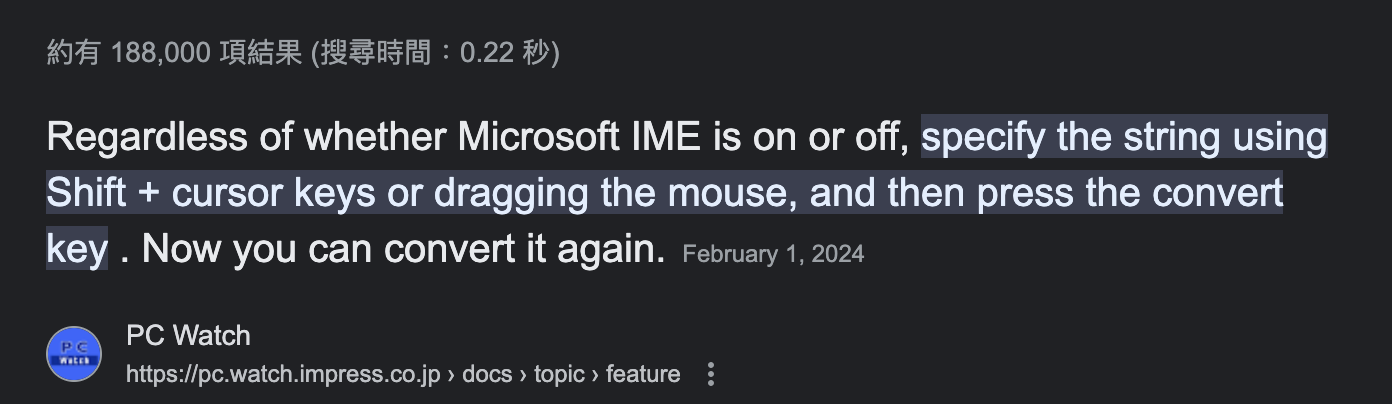
@kchibisov Also, the reconversion feature needs a JIS keyboard. I don't have one.
JIS keyboard has a dedicated physical key for reconversion.
kchibisov commentedon Apr 2, 2024
Ah, I think I got what you mean. I'm pretty sure it works by indicating surrounding text around, so you can not really do that without adding a new API. Such API was discussed in the past, but that's about it.
@ShikiSuen maybe you need a special key on macOS, but on linux I just have a binding to convert between 漢字 and kana. Though, I'm not sure there's a way to trigger the convert just by starting selection, at least I've never seen how to.
ShikiSuen commentedon Apr 2, 2024
@kchibisov The
replacementRangeis used for interacting with the surrounding context.kchibisov commentedon Apr 2, 2024
Yeah, so you need an API to indicate such range, and then
deletesend new text, that's pretty much how it's on Wayland. So this API could be left untouched for awhile until we have a separateWindow::set_ime_surrounding_textor similar APIs. Though, I won't stop you from drafting one.ShikiSuen commentedon Apr 2, 2024
@kchibisov For now we can just fix the use of
_selected_range.kchibisov commentedon Apr 2, 2024
Yeah, selected range matches the
start/endcursor APIs we have pretty much, as what I can say, so shouldn't be that hard, I guess.macos: implement the text input client for accents
W22: macOS: replacement ranges, text typed without a composition, tea…