
For most users, the gamut website is a better place to start.
A modern image viewer for understanding and acting on images.
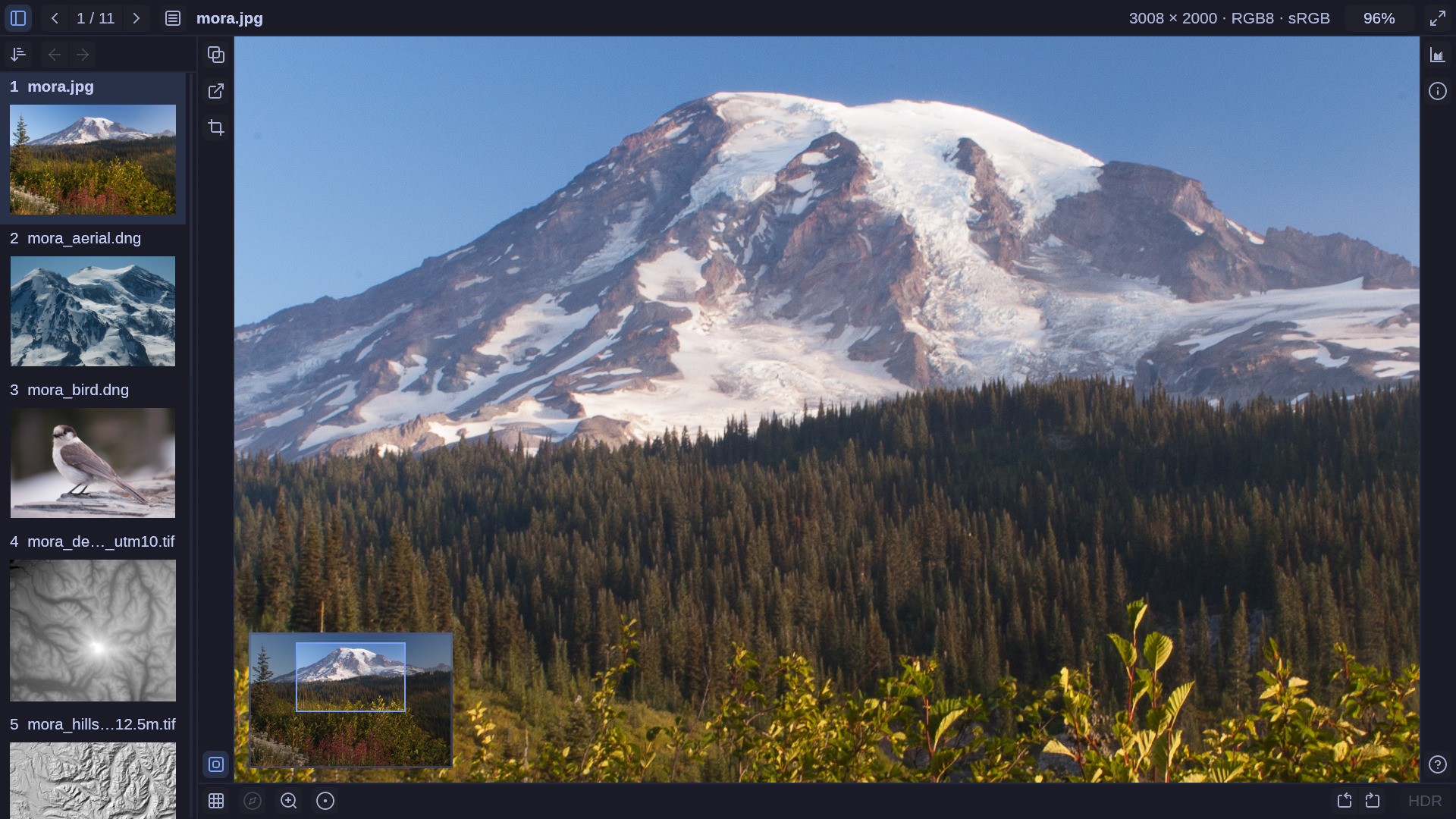
Image viewers tend toward minimalism or full-fledged editors; gamut stakes a claim in the middle. It's for when you need to see the image, understand it, and decide what you're going to do with it: check for sharpness, assess a render, compare similar images, pull a pixel value or coordinate, extract some metadata, copy a region to chat, delete it outright, or send it to a domain-specific editor.
An image viewer serves many audiences: photographer, data scientist, programmer, designer, game developer, GIS analyst, and, of course, the casual user. We carefully consider the tenets below in deciding if a feature clears the bar for inclusion.
- Fast, always. Every pan and zoom runs at full frame rate; decoding and analysis never block the interface. Speed is never traded for a feature.
- Faithful to the file. Color management; HDR as graded; 16-bit, float, single-channel data displayed as-is. The file's actual pixel values are always a hover away.
- Viewer, not editor. You can rename, trash, copy, and export, but nothing changes the file's pixels. Adjustments are for seeing the image better, and what you see is what you copy or export.
- Useful, not minimal. If a feature is conceptually simple but would otherwise require specialized software, it has a place.
- Images come first. The interface is sparse, and every image, primary and thumbnail, gets as much room as possible. Specialized tools stay out of sight unless asked for.
- Discoverable by mouse, driven by keyboard. Every feature is accessible through the UI and keyboard. Learn the keys via tooltips and in-app help.
- Desktop native. Integrates with your theme, trash, thumbnail cache, file dialogs, and other image applications.
gamut is packaged for Arch. The PKGBUILD builds the latest release:
git clone https://github.com/dcervelli/gamut.git
cd gamut/packaging && makepkg -si
Note: it takes a few minutes to build.
Omarchy ships imv as its image viewer. To use gamut in its place:
1. Window rule. Add this to ~/.config/hypr/hyprland.lua:
o.window("com.dcervelli.gamut", { float = true, center = true, tag = "-default-opacity", opacity = "1 1" })gamut then opens floating and centered, at a size it works out from the image and the screen. The window is fully opaque, because Omarchy's default translucency would tint the image with whatever is behind it. Hyprland picks up the change when you save.
2. Default viewer. Make gamut the viewer for every image type it reads:
xdg-mime default com.dcervelli.gamut.desktop $(sed -n 's/^MimeType=//p' /usr/share/applications/com.dcervelli.gamut.desktop | tr ';' '\n' | grep '^image/')Folders still open in your file manager; gamut <folder> from a terminal views every image in one. The choice is written to ~/.config/mimeapps.list, where it can be changed back.
3. Theme. Nothing to do: gamut uses the current Omarchy theme and follows it when you switch.
A gamut build is packaged for Homebrew.
brew install --cask dcervelli/gamut/gamutThis installs the gamut command and Gamut.app. You can then use Finder to send images to gamut or associate certain file types with gamut.
Note: if you installed an earlier version (< 0.14.0) of gamut via the Homebrew Formula, you should remove it first:
brew uninstall gamut
rm -f /Applications/Gamut.app # if you made the suggested linkgamut uses exiftool for comprehensive raw image metadata presentation. Install it on your system if you want access to that data.
Issues and pull requests are welcome. See Roadmap for some features and improvements that we'd like to get to.
docs/ — AI generated and maintained notes on development.
Dual-licensed under either of
- Apache License, Version 2.0 (LICENSE-APACHE)
- MIT license (LICENSE-MIT)
at your option.
Lucide icon geometries licensed under ISC.
Polynomial false-color ramps are CC0 or Apache-2.0.
Further information in docs/licensing.md.